Spend your shifts on care, not on paperwork.
AMUMA gives home-care agencies and care facilities one place for bookings, caregiver schedules, patient charts and billing.
- Bookings and admissions
- Caregiver scheduling
- eMAR and vital signs
- Invoices and online payments
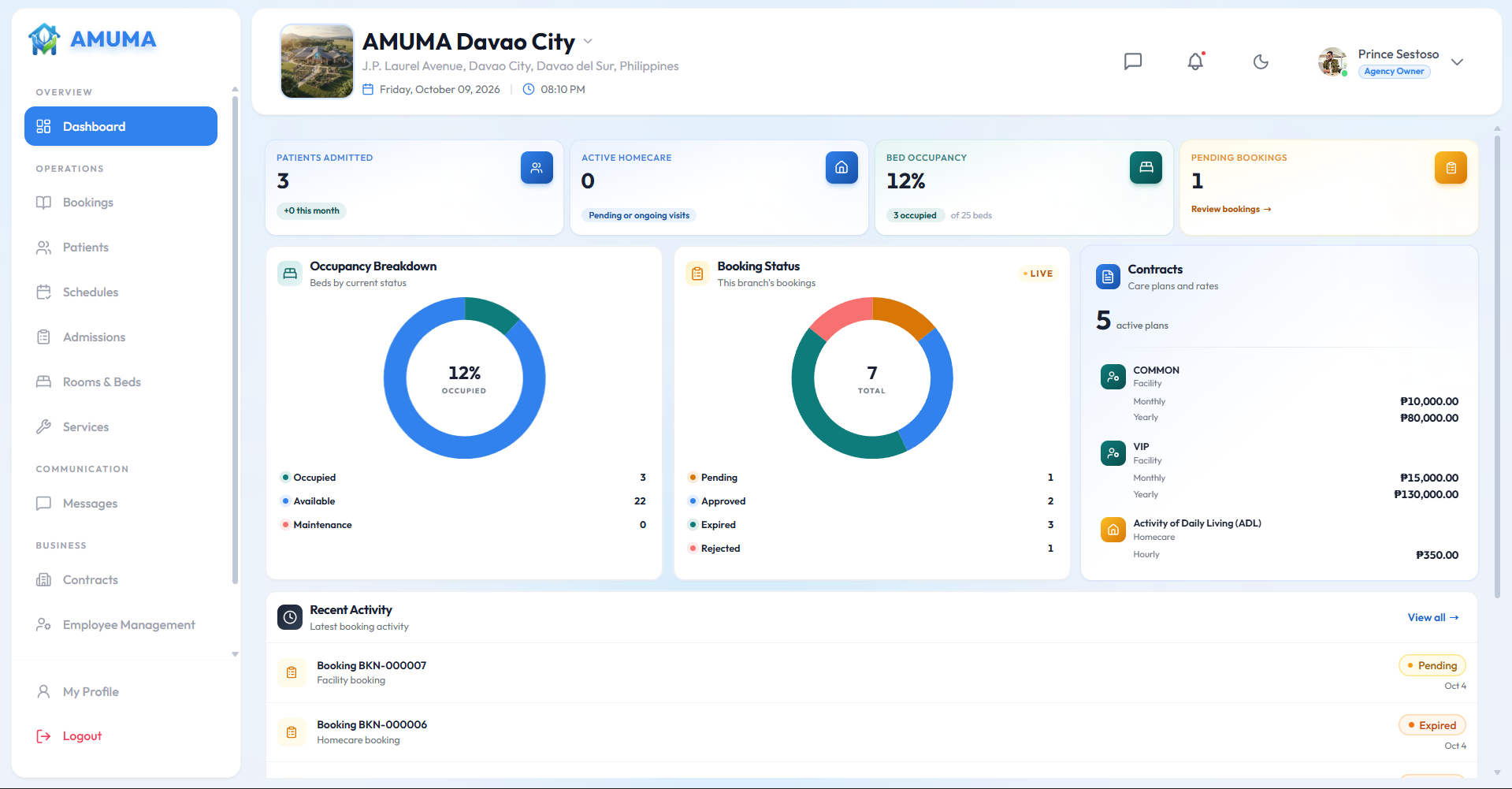
Know who's where before the day starts
Assign caregivers to home visits and facility shifts, spot clashes early, and let your team clock in with a QR scan.
- Caregiver assignment with availability
- Warnings when a schedule conflicts
- QR clock-in for visits and shifts
- A shift board for facility teams

From finished visit to paid invoice
Completed care turns into invoices without a month-end scramble, and families can pay online.
- Invoices generated from completed care
- Family balances and online payments
- Adjustments, refunds and write-offs on record
- Plans and contracts for Homecare and Facility

Records that stay with the patient
Chart medications and vital signs where care happens, and keep admissions, discharges and room details in the same place.
- eMAR and vital signs charting
- Admission and discharge records
- Room and bed tracking for facilities
- VIP and Common room contracts on the Facility plan

Everyone sees what they need, and nothing more.
Pick a role to see what that person gets when they sign in.
Every branch under one account, with full control over each of them.
- All branches, switched from one login
- Full access to every module in every branch
- Branch managers, staff and their permissions
- Subscription plans and branch settings
What changes when you switch
Scheduling
Group chats and paper rosters
One schedule with assignments and conflict warnings
Charting
Paper logs and notebooks
eMAR and vital signs recorded on the device
Billing
Invoices built by hand at month-end
Invoices generated from completed care
Family updates
Phone calls and text messages
A family portal with schedules, updates and messages
Multiple branches
Separate spreadsheets for each location
One account that switches between branches
Pricing
One calm price. All the features you need.
Try it free for 2 weeks. Pay later.
No payment needed to start. Pay any time, whenever you're ready.
Questions before you decide?
Search for a provider, choose a service, add your loved one's details, and send the request. The agency reviews it and approves or replies, and you can follow the result from your family portal.
See the booking steps →Homecare covers home visits, caregiver assignment and charting. Facility covers admissions, rooms and beds, and room contracts. Hybrid includes everything in both under one subscription.
Compare the three →Yes. Each branch has its own dashboard, bookings, patients and contracts, and you can switch between them from one account.
Access follows roles. Nurses and caregivers see their patients and schedules, cashiers see invoices and balances, branch managers see the whole branch, and a family member sees only their own loved one.
See each role's view →Completed care becomes an invoice automatically. Families can check their balance and pay online from the family portal, and the balance updates when payment is received.
Still curious? Browse every question
Ready to run your agency on AMUMA?
Create your agency account, set up your branch, and choose the plan that fits how you care.